WhatsApp Business app
A familiar place for business chats, a profile and product information. A practical starting point when you manage replies directly.
Manage customer conversations, collaborate with your team, run WhatsApp campaigns, and automate follow-ups, all from one connected workspace.
 Fenwira / Shared inbox applicationExperience v2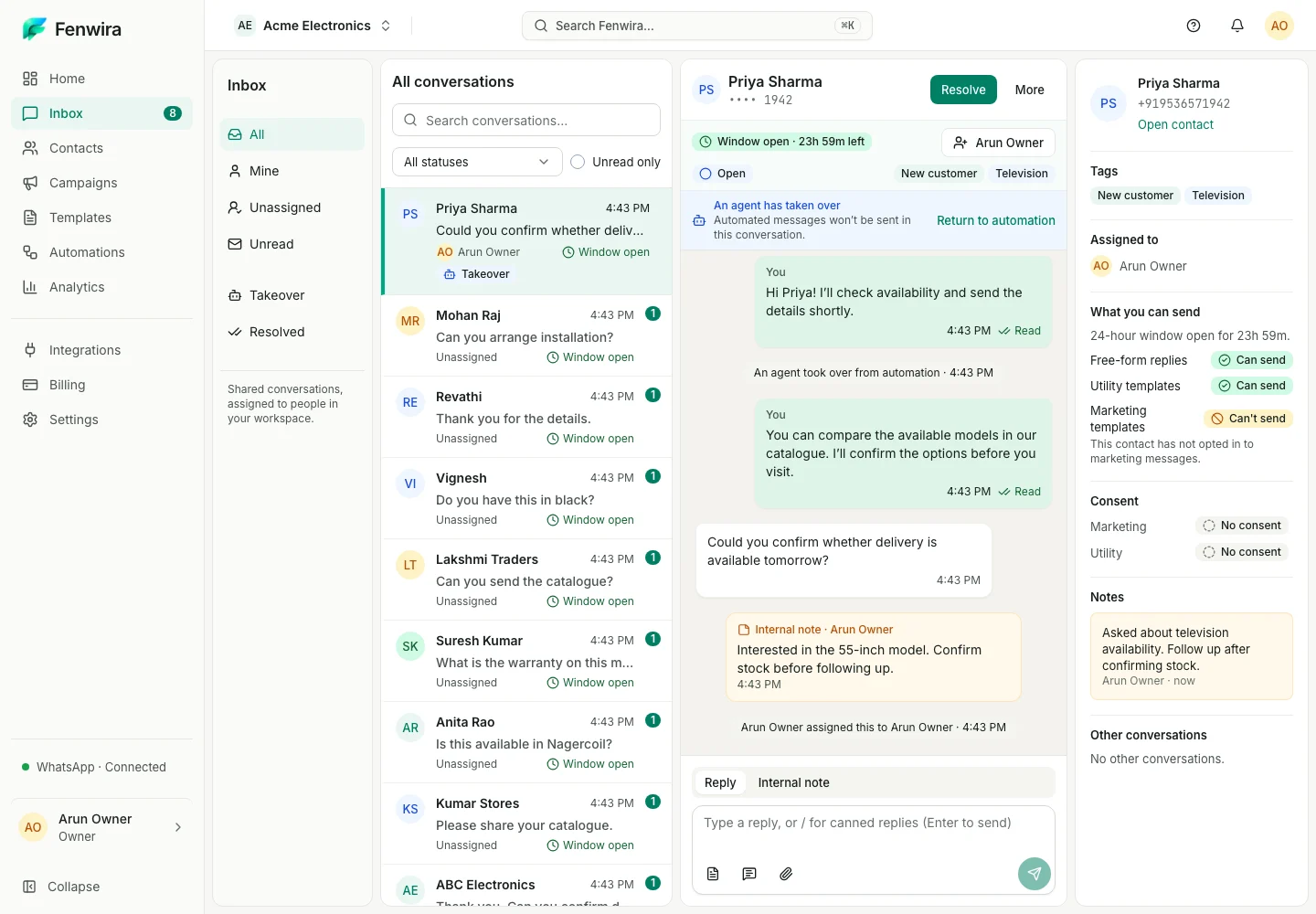
Bring replies, customer context, and your team together in a shared WhatsApp inbox. Assign a conversation to the right person so the next reply stays organized.
Fenwira / Shared inbox applicationExperience v2Priya’s message, in both views. A clear owner for the next reply.
Choose an appropriately opted-in audience and prepare your template message. Preview the recipient experience, then send and track activity from your workspace.
Fenwira / Campaign studioExperience v2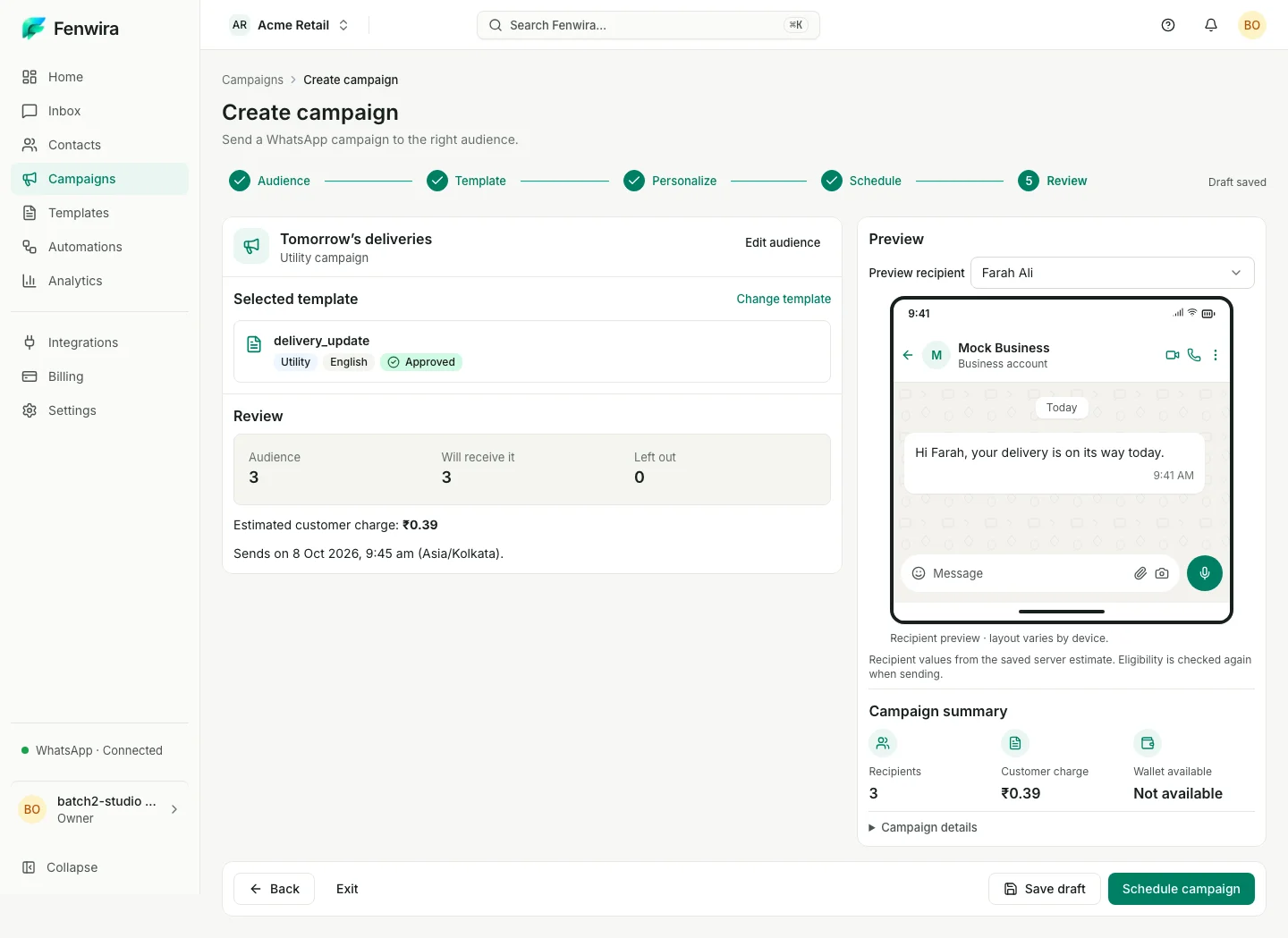
Promotional message example · Captured studio shows a separate utility campaign.
Choose an appropriately opted-in group. Keep customer preferences close to every campaign.
Use a message to start a workflow and a condition to choose its path. Send a configured response while your team focuses on conversations that need a person.
Fenwira / Automation builderExperience v2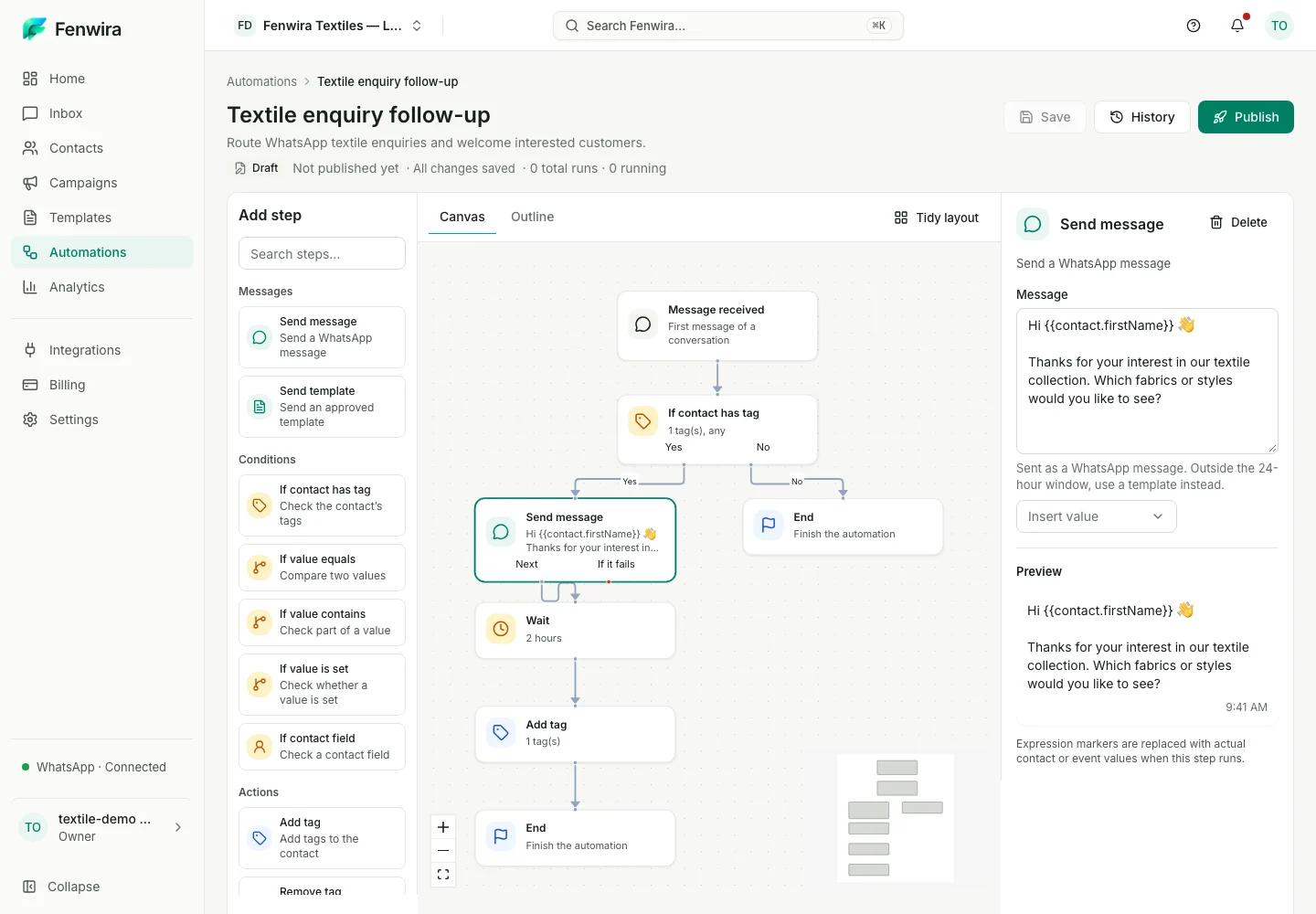
The builder’s response, with a sample first name filled in. No code to read.
The configured message asks which fabrics or styles they need.
“Could you help me check my order?”
A customer’s WhatsApp message enters your workspace.Illustrative workflow · Adapt triggers and actions to your business.
Create and manage your templates with content, categories, and sample variables. Preview the message with those values filled in, then submit applicable templates for review by Meta.
Fenwira / Template editorExperience v2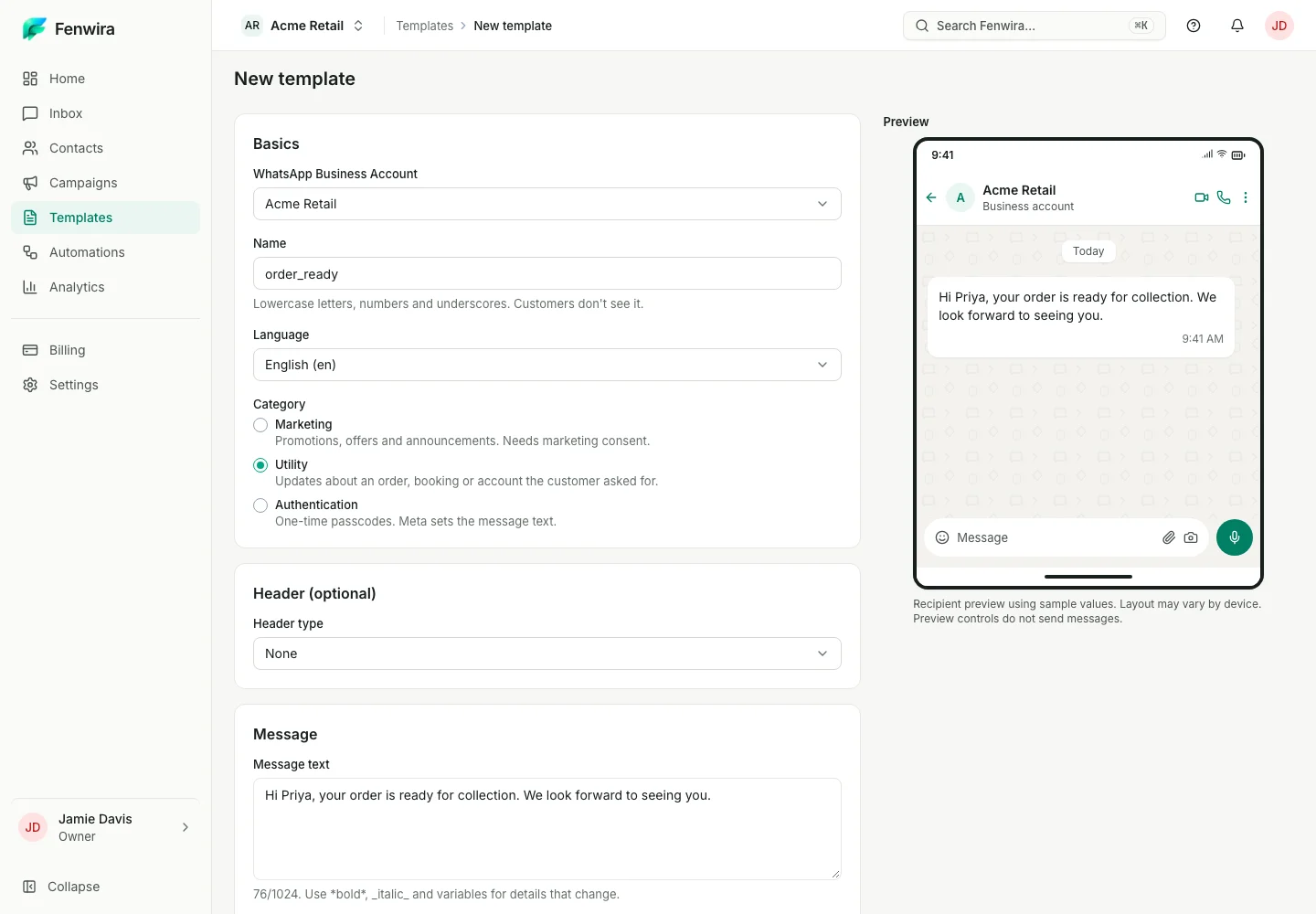
A sample name filled in. The same order-ready message in the editor and phone.
{{first_name}}PriyaSample variable
Approval is decided by Meta and is not guaranteed.
Review delivery, incoming messages, and your team’s response time in one place. Use that context to decide where your team’s attention is needed next.
Fenwira / Analytics overviewExperience v2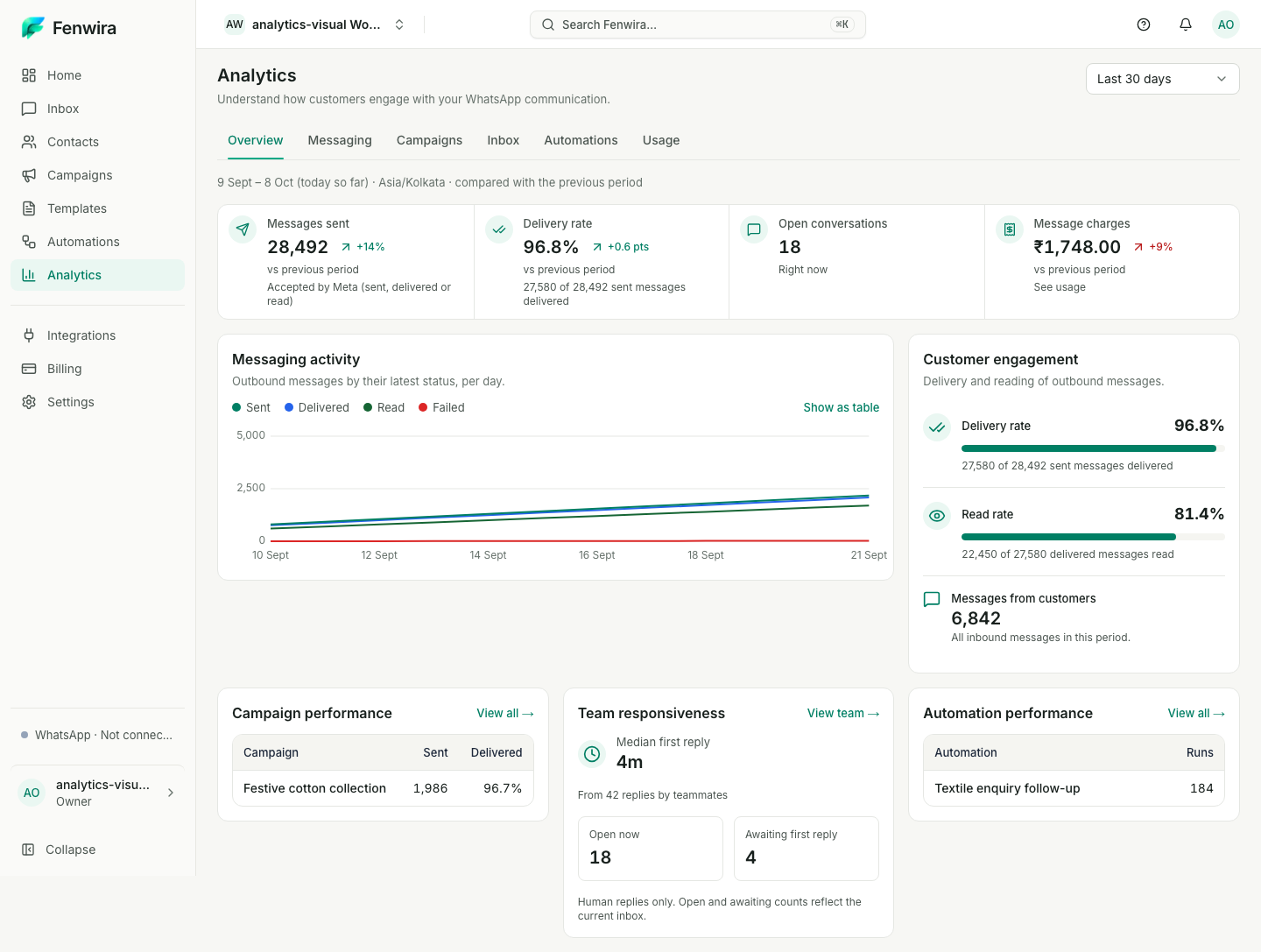
Messages become useful context. This sample exchange is separate from the captured totals.
Different questions. Different teams. See how a shared WhatsApp workspace keeps the next reply connected.
Alex asks about a linen shirt. The sales team keeps the size and delivery question in the same conversation.
Medium size · Product availability · Delivery options
Share your delivery area and I’ll confirm the size and delivery options here.
Keep product questions with the teammate who can check the details.
Find the workflow that fits your team.
Explore all industriesSelect a tool and try a local, illustrative product preview.
Use APIs and webhooks to bring useful customer context into the way your team communicates.
Explore integrations APIs API keys Webhooks
Connect the context.
Keep the conversation human.
Bring your people, your business account, and your customer conversations together.
Set up a shared home for your team.
Use Meta Embedded Signup with an eligible account. Meta verification and approval timing varies.
Organize ownership, prepare messages, and set up the workflows your business needs.
The WhatsApp Business app supports direct customer conversations. The Business Platform is an API that software connects to for messaging workflows.
Tell us about your team, messaging needs, and workflows. We’ll help you understand subscription options and WhatsApp messaging charges.
A little context before you bring your team together.
One workspace for the people behind every reply.