
Reach the right customers. With purpose.
Create and schedule WhatsApp campaigns for opted-in audiences, then follow delivery and engagement.
A clear next step.
- 01
Choose an audience
- 02
select an approved template
- 03
schedule your campaign
- 04
review the results.
Use approved templates for an appropriately opted-in audience. Sending is subject to Meta policies and account limits.
ONE CONVERSATION / TWO VIEWS
Audience first. Message second. Review before sending.
THE CUSTOMER’S VIEW
LS
The Linen StudioBusiness conversation
Today
Hi Alex, our new linen collection is here. Take a look at the styles when you’re ready.
Illustrative example · No messages sentScroll to read the conversation
Message
Illustrative example · No message sent
YOUR TEAM’S VIEW Fenwira / Campaign studioExperience v2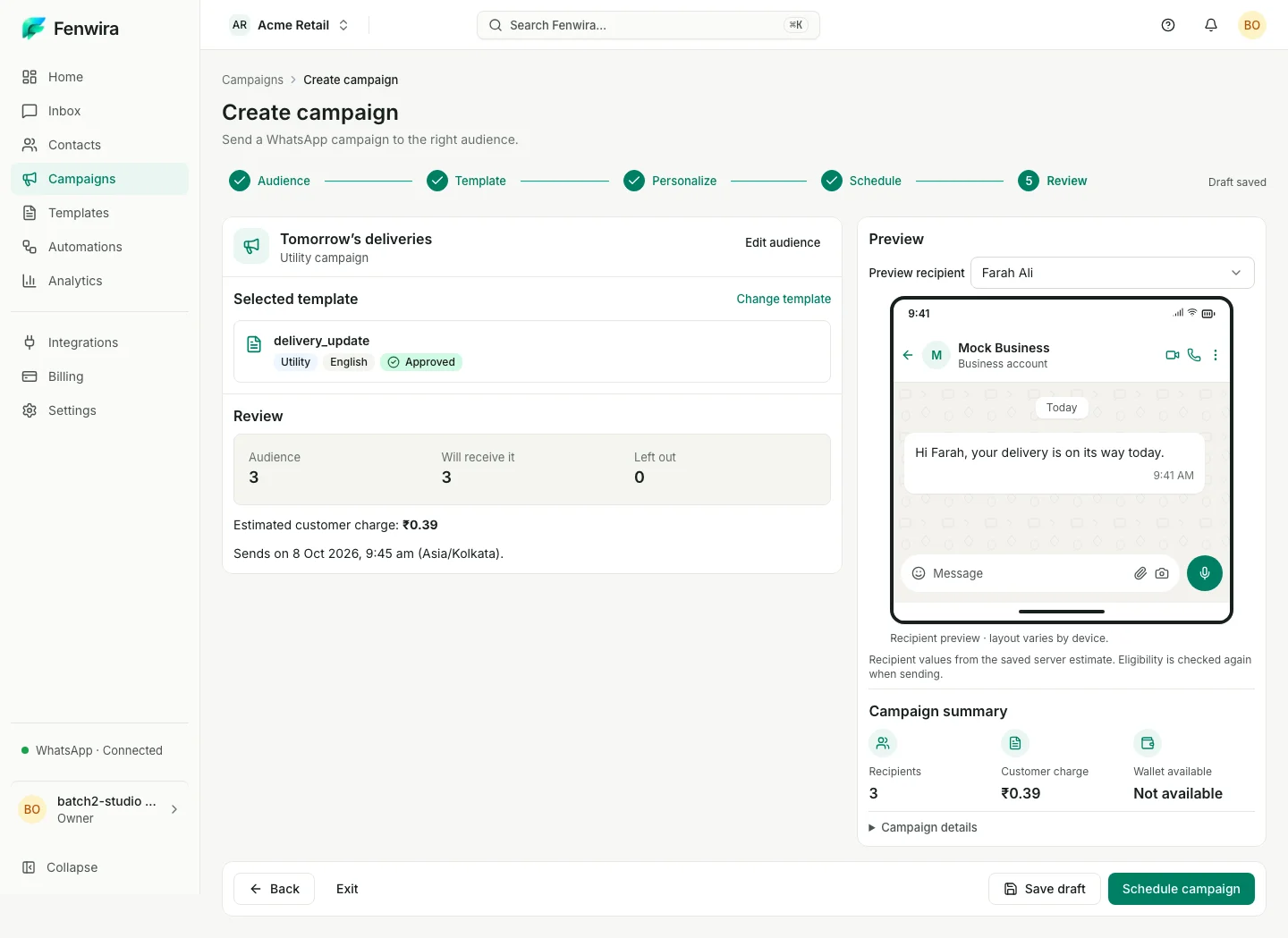
Captured Fenwira Experience v2 · Sample workspace · Illustrative example
Fenwira / Campaign studioExperience v2Promotional message example · Captured studio shows a separate utility campaign.
KEEP THE WORK CONNECTED
Manual outreach makes it difficult to coordinate an audience, a message, and its timing.
- Select an appropriate opted-in audience
- Schedule approved template messages
- Review delivery, read, and failure statuses
Before you start with campaigns.
Make room for your next conversation.
Review your team’s setup, connected account and workspace requirements.