
Know the person behind the message.
Keep customer details, tags, and communication preferences connected to your conversations.
ONE CONVERSATION / TWO VIEWS
Useful context, before the next reply.
THE CUSTOMER’S VIEW
AE
Acme ElectronicsBusiness conversation
Today
Could you confirm whether delivery is available tomorrow?
Hi Priya! I’ll check availability and send the details shortly.
Illustrative example · No messages sentScroll to read the conversation
Message
Illustrative example · No message sent
YOUR TEAM’S VIEW Fenwira / Shared inbox applicationExperience v2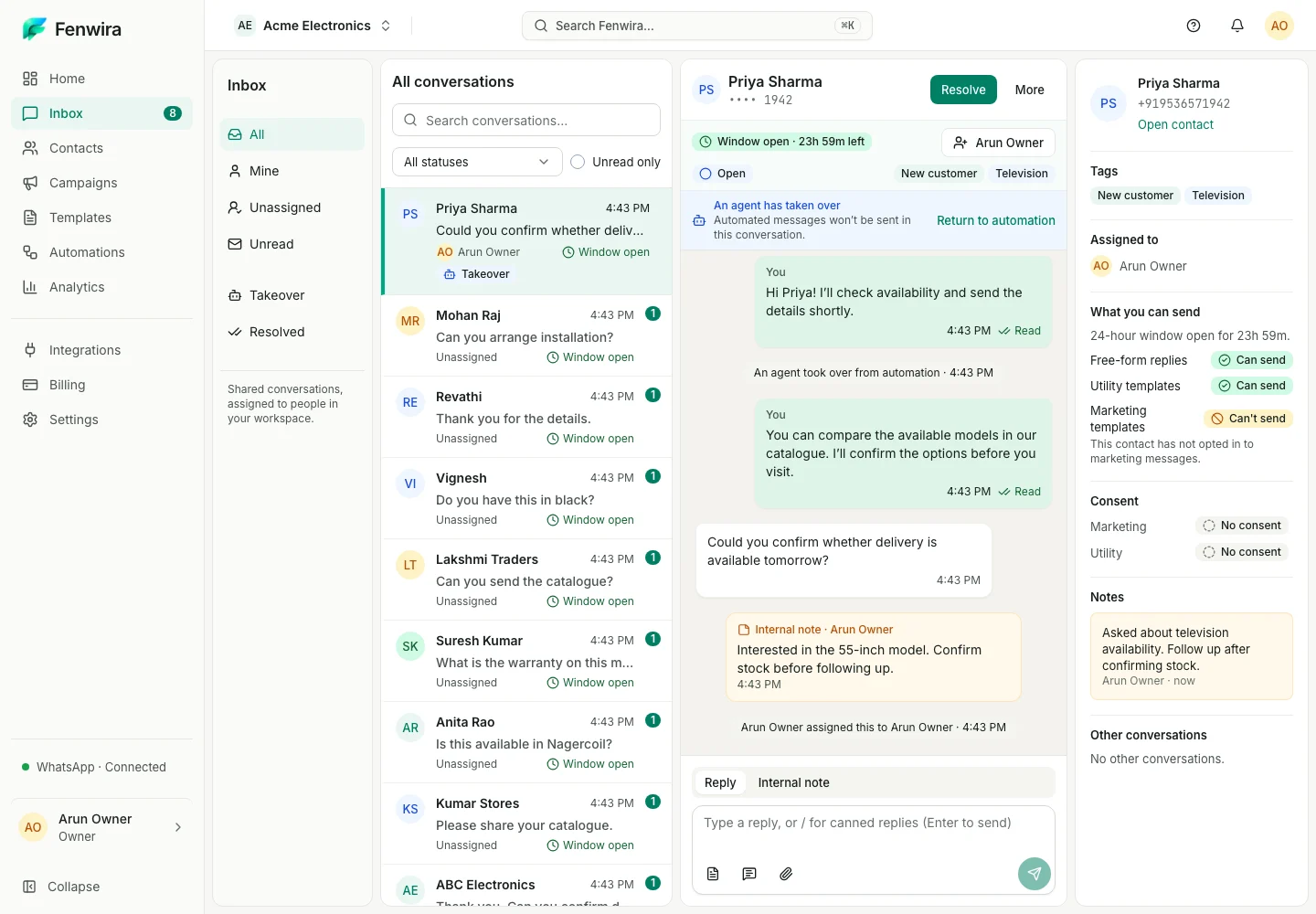
Captured Fenwira Experience v2 · Sample workspace · Illustrative example
Fenwira / Shared inbox applicationExperience v2Priya’s delivery inquiry beside the inbox’s contact context. This is the captured inbox contact panel, not a separate Contacts-page capture.
KEEP THE WORK CONNECTED
A phone number alone rarely tells your team enough to offer a thoughtful response.
- Organize contacts with tags and custom fields
- Keep consent and preferences in view
- Import customer records with care
A clear next step.
- 01
Import or create a contact
- 02
add useful context
- 03
organize with tags
- 04
find them from your inbox.
Before you start with contacts.
Make room for your next conversation.
Review your team’s setup, connected account and workspace requirements.